01
Your brand, front and center.
Give your team a workspace with your logo and colors. Keep the experience familiar every time they open it.
YOUR BUSINESS. ONE CONNECTED WORKSPACE.
Leads, calls, texts, appointments — all in one place, finally talking to each other. Your AI agent handles the boring follow-up. Your team handles the humans.
Start with a 30-day free trial. One full marketing system, set up around your business.
A FIRST LOOK AT YOUR CONNECTED WORKFLOW
THE DIFFERENCE
From first hello to happy customer — see where your agent jumps in and where your team takes it home.
| FROM FIRST HELLOTo your next conversation. | 01New inquiry | 02Details captured | 03Follow-up | 04Appointment | 05Your conversation |
|---|---|---|---|---|---|
| WITHOUT ASSISTANCEAll on your plate. | YouHands-on attention | YouHands-on attention | YouHands-on attention | YouHands-on attention | YouHands-on attention |
| WITH BUSINESS HUB OSYour agent + youConnected at every step. | AI-assistedWelcome the inquiry | AI-assistedKeep the context | AI-assistedContinue the conversation | AI-assistedHelp find a time | You take it from hereYour expertise. Your relationship. |
MEET ORCA · YOUR AI AGENT
Drop in your website. Orca reads it, learns your business, and builds a voice agent on the spot — then you get to grill it like a customer would.
Free demo. Nothing is saved or shared.

BUILD · THE FULL SETUP
Answer a few questions and Orca starts building your package: your AI voice agent, a connected CRM, and a site audit — working together from day one. Your new website and marketing plan are coming next.
build.businesshubos.com · invite code required
Define your workflow. Connect your tools. Test before launch.
Illustrative workflow · connections require setupTHE PLATFORM
Bring contacts, conversations, calls, and appointments together in Business Hub OS.
Configured around your business
Explore your workflow ↗AI CONTENT · SEE THE POSSIBILITIES
Bring your offer to life with branded images, product stories, and creative built around your business. Review every piece before you share it.

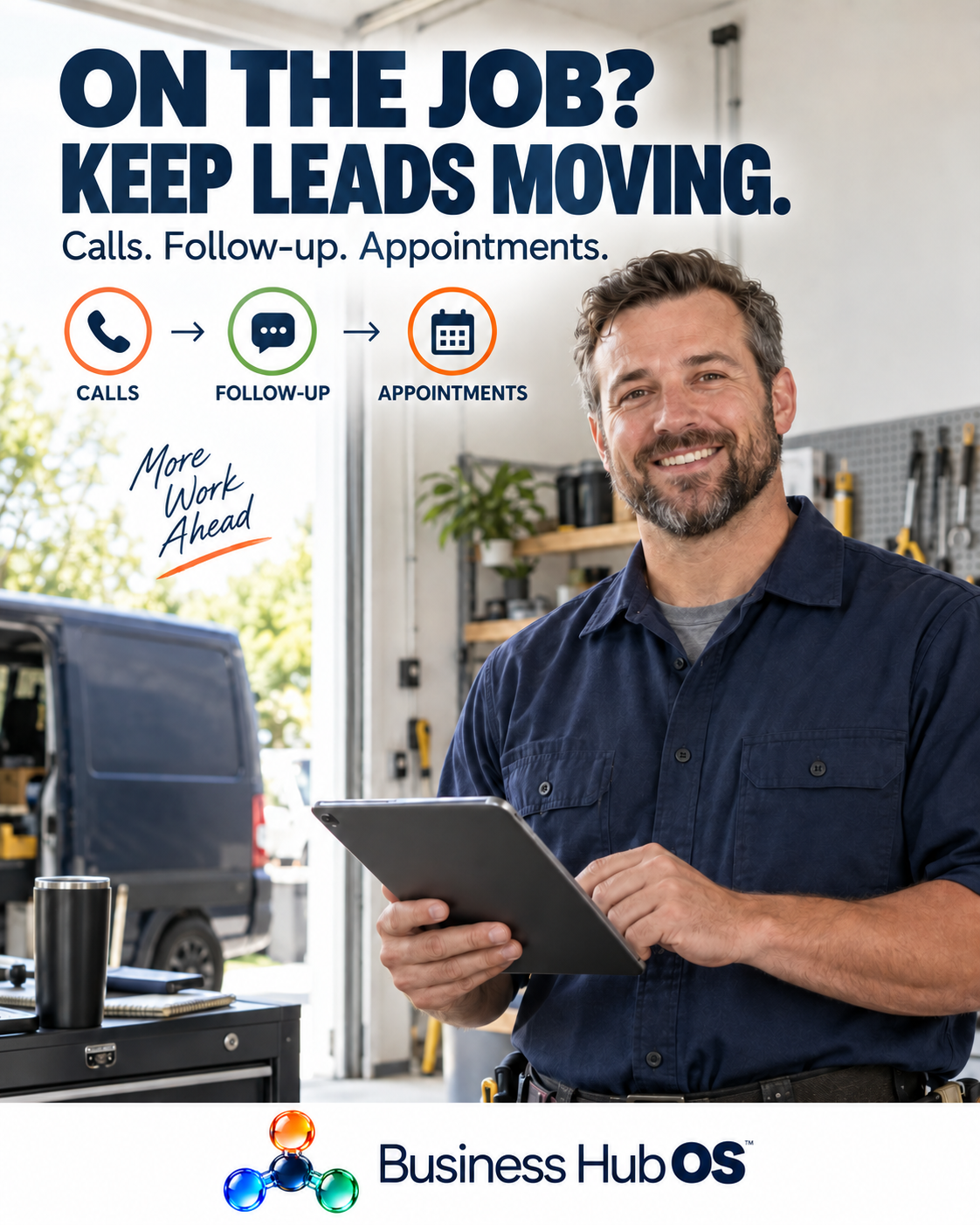

AI-created campaign examples. Fictional people and businesses.
TAKE A LOOK INSIDE
Explore the tools that bring your day together.
Illustrative views with sample data. Your workspace is configured around your business.
BUSINESS HUB OS, ON THE GO
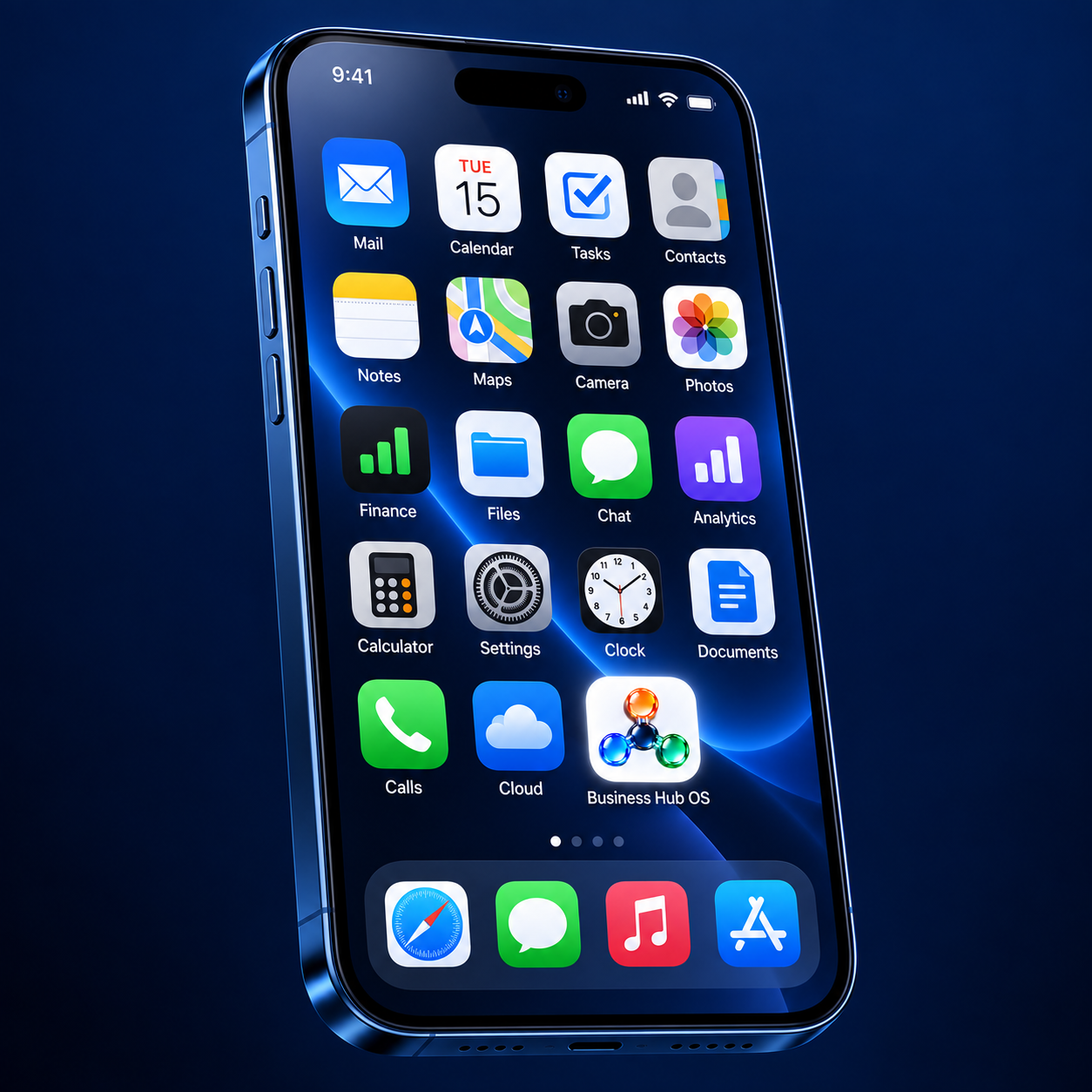
YOUR BRANDED APP
Give your team a workspace with your logo and colors. Keep the experience familiar every time they open it.
Keep up with replies, new inquiries, and booked appointments when you’re away from your desk.
Bring contacts, messages, and your calendar along for the day. We’ll walk you through the mobile setup available for your workspace.
Pick up with the same contact history and next steps, wherever the work takes you.
EVERY CONVERSATION, CONNECTED
Meet customers where they are, with one place for your team to pick up.
Your own business number, configured AI call handling, and a clear path to your team.
Explore calls ↗Bring eligible text and email follow-up into the contact’s history, with your business voice.
Explore messaging ↗Help customers choose a time and give your team the details before they meet.
Explore appointments ↗FREE TOOL: MISSED CALL COST CALCULATOR
What do missed calls cost you? Run your numbers through our free calculator and see the monthly total in about 30 seconds.
ROOM FOR YOUR BUSINESS TO GROW
Keep each team’s people, brand, and customer conversations together in a dedicated workspace.
01Your customers. Your conversations. One connected home.
ILLUSTRATIVE WORKSPACE02Give every job a clear next step and your team the context.
ILLUSTRATIVE WORKSPACE03Bring a familiar way of working to your next chapter.
ILLUSTRATIVE WORKSPACEFOLLOW A SAMPLE INQUIRY
Select a step to follow a sample inquiry from the first ring to the owner's next conversation.
Northline / Your workspaceSAMPLE WORKFLOWBUSINESS HUB OS
Your people, your conversations, and your next opportunity. Connected through Business Hub OS.
Follow an inquiry through the system →
THIS IS YOUR BUSINESS OS
Calls shouldn't end in a disconnected note. Follow-up shouldn't depend on remembering which app you used.
Business Hub OS brings your agent, contacts, conversations, pipeline, and calendar together in one full marketing system.
Explore your workflow ↗Project details captured in the conversation.
Service area · project type · preferred timing
Tuesday, 2:00 PM ET · Estimate consultation
Review the context before the appointment.
DONE FOR YOU, WITH YOU
Get your agent set up with its own number, ready to call and text. We handle the setup so you can start putting it to work for your business.
Your services, common questions, qualifying criteria, and rules for involving a person.
Your agent's number, call routing, calendar, CRM, and agreed follow-up steps.
Walk through a test inquiry, check the booking and contact history, and refine the responses.
Setup timing depends on your number, messaging requirements, and connected services. We confirm the scope with you before launch.
THREE TIERS · EVERYTHING CONNECTED
Your AI agent, business number, website care, follow-up, and booking workflow — together in one connected workspace.
Business Hub OS includes your website, Business Hub OS CRM, and AI chatbot. Start with a $199 one-time setup payment and 300 credits. Then pay $99 per month starting one month after signup, with 200 credits included each month. Higher monthly tiers include $299/month with 800 credits or $499/month with 1,500 credits.
BUILT TO WORK TOGETHER
The tools to keep your inquiries, conversations, and next steps together.
START HERE
$199one-time setup
Then $99/month, starting one month after signup
Your website, Business Hub OS CRM, and AI chatbot in one plan.
$199 initially, then $99/month. Setup includes 300 credits; subsequent monthly payments include 200 credits.
YOUR CONNECTED BUSINESS
Choose your monthly credit allowance. All tiers include your website, Business Hub OS CRM, and AI chatbot. The $199 initial setup includes 300 credits; your selected monthly plan starts one month after signup.
This opens an email draft for you to review and send. Your account is set up after our team confirms your request. Prefer to talk? Book a discovery call. Privacy policy.
$49/month plus separately purchased credits. This option does not include the website and CRM package or phone-call handling.
Explore chat-agent-only setup →Calling, messaging, AI generation, and other metered services use credits when enabled. Setup confirms the tools, connections, and permissions available in your workspace.
Custom setup or monthly consulting fee available per month. Or $99 per hour.
1-hour minimum on hourly.
Number availability and provider requirements apply. Calling, messaging, numbers, and other metered services may use credits and incur additional charges.
YOUR CREDITS, IN EVERYDAY TERMS
An illustrative use of the initial setup credits; subsequent months include 200, 800, or 1,500 credits depending on your tier. Eligible services must be configured, and usage varies.
| Example usage | Credits |
|---|---|
| Purchase one new number | 4 |
| One number for a month | 15 |
| 30 AI call minutes | 60 |
| 1,000 SMS segments | 100 |
| 1,000 outgoing emails | 30 |
| Used in this example | 209 / 300 |
| Remaining for other eligible usage | 91 credits |
Texts are counted by segment; calls are metered by time. Incoming email and AI email replies are free. Additional credit packs: 100 for $25 (25¢ each), 250 for $60 (24¢ each), 500 for $115 (23¢ each), or 1,000 for $220 (22¢ each). Other enabled services may draw from the same balance.
Illustrative only, not a guaranteed usage amount. Initial number purchase is counted above. Provider rates and available services can change.
COMPARE THE COST
What you'd typically pay for separate tools vs. Business Hub OS. Check the ones you'd actually buy:
Sample costs for separate services — illustrative only, not verified market quotes or a guarantee of savings.
Illustrative recurring-cost comparison; excludes the $199 initial setup payment. Annual figures are 12 monthly payments, not an annual billing offer. Your actual costs and savings may differ.
Try for free30-day free trial, no credit card required.
30-DAY FREE TRIAL
Your connected workspace — website care, CRM, AI agent, follow-up, booking. No credit card required to start.
Your details go straight to our team and we'll get your free trial set up. Prefer to talk? Book a discovery call.
BUILT AROUND YOUR WORKFLOW
We'll map the right starting workflow, setup scope, ongoing support, and usage costs before you commit.
QUICK ANSWERS
Yes. Business Hub OS gives your business its own AI employee, Orca, which answers inbound calls and texts around the clock. Orca follows your configured business information, booking rules, and handoff rules to qualify leads and book appointments, then hands anything that needs a person to your team. Call (612) 444-7339 or visit https://www.businesshubos.com/ to try it.
Business Hub OS includes your website, Business Hub OS CRM, and AI chatbot. Start with a $199 one-time setup payment and 300 credits. Then pay $99 per month starting one month after signup, with 200 credits included each month. Higher monthly tiers include $299/month with 800 credits or $499/month with 1,500 credits.
An AI employee is an AI voice agent with its own business number that works inside Business Hub OS. It answers calls, sends and receives texts, follows up with leads, and helps book appointments using your business information and rules. Routine communication is handled for you, and your team takes over the conversations and decisions that need a human.
BEFORE YOU GET STARTED
Yes. Your AI agent gets its own business number for calls and texts, with conversations connected to your CRM.
When configured, the agent can answer inbound calls and place follow-up calls to eligible new leads to qualify them and help book appointments. We set the timing, business information, calendar, and handoff rules around your use case.
With email enabled, replies from leads can return to the CRM inbox and the AI can respond using your configured booking rules. Email requires a connected inbox or verified sending setup. Automated sends use credits; AI replies are free.
Have your business details ready, and we handle the initial setup. Timing depends on number availability, messaging requirements, email, and any custom integrations. We confirm the steps with you during your walkthrough.
Yes. Your agent’s number supports both calling and texting, so it can follow up with eligible leads and keep conversations connected in your CRM.
Yes. You approve the business information and workflow, and your team handles the conversations and decisions that need a person. The agent supports your team with routine communication and follow-up.
No specific result is guaranteed. Outcomes depend on your leads, offer, configuration, availability, and follow-through. The walkthrough shows the process so you can judge its fit.
FROM THE BLOG
A short read every day on AI, automation, and the systems that move a business forward.
October 9, 2026
A missed call during a job goes to whoever picks up first. What "always answered" looks like for trades shops, with no extra staff required.
Read more →October 8, 2026
Most owners know AI exists but have no idea where to start. Here is the five-level roadmap, how to find your level, and what the next step looks like.
Read more →October 7, 2026
Managing the list became the job. Why your to-do list grew a to-do list, and how a connected workspace gives every follow-up a real home.
Read more →CURRENT BUILDS
Every project below is at a different stage, and most were started in the last 30 days. Each one ships with its own connected workspace, and most with their own AI agent.

Franchise Q&A site with dual CRM workspaces, rebuilt this month.
AI agent: Fran
View project →
Benefits portal, workspace hub, and CRM for the benefits team.
View project →

Remodeler CRM with voice and SMS follow-up.
AI agent: Sarah
View project →
Five landing pages with missed-call text-back.
AI agent: Alex
View project →
Live insurance site with quote form, booking, and FAQ.
View project →
Growth network for bookkeepers, with member CRM and community.
AI agent: Steve
View project →

Bookkeeper growth platform and home of BGN.
AI agent: Steve
View project →
Real estate CRM and proposal hub. Launching Oct 31.
View project →

Pilot bookkeeping firm workspace, fully branded.
AI agent: Steve
View project →
Networking hub and pursuit workspace with Peter Reynolds.
View project →

Real estate lead engine with voice and chat.
AI agent: REBA
View project →

Snowbird real estate concierge across three states.
AI agent: Stan
View project →

Insurance site and connected workspace for Keith Trautman.
View project →
Food influencer hub with a 388-restaurant map.
View project →
Insurance agency website rebuild with a voice AI agent.
AI agent: Jennifer
View project →

Restoration partner package and landing page program.
View project →

Candidate marketing hub with 37 profile pages.
View project →
Anton's personal project: trading-card storefront mock-up and inventory dashboard.
View project →
Scroll through what the Business Hub OS build process produces. Stages update as projects ship. Browse the full project index →
YOUR AGENT. YOUR NUMBER. YOUR BUSINESS OS.
See what your AI agent could handle for your business.
MARKETING SYSTEM · BUSINESS HUB OS
See the contact, the conversation, and the next step together.
Keep opportunity details in one place. Your team can review the conversation and pick up with useful context.
Illustrative product view with sample data. Your workflow and available services depend on configuration.
MARKETING SYSTEM · BUSINESS HUB OS
Keep conversations moving in the voice of your business.
Configure eligible lead follow-up around your business information, timing, and handoff rules.
Illustrative product view with sample data. Your workflow and available services depend on configuration.
MARKETING SYSTEM · BUSINESS HUB OS
Give incoming calls and new-lead follow-up a connected home.
Your configured agent can answer business questions, gather details, and help the caller find a useful next step.
Illustrative product view with sample data. Your workflow and available services depend on configuration.
MARKETING SYSTEM · BUSINESS HUB OS
Turn interest into a time on your connected calendar.
Help the customer choose an available time, and keep the booking tied to the contact and conversation.
Illustrative product view with sample data. Your workflow and available services depend on configuration.
MARKETING SYSTEM · BUSINESS HUB OS
Give each inquiry a clear, agreed next step.
Build the routine around your business, from the initial inquiry to qualification, booking, and team handoff.
Illustrative product view with sample data. Your workflow and available services depend on configuration.
BUSINESS HUB OS · COMING SOON
Plan your content, review the creative, and keep your brand visible.
Social publishing and commenting are coming soon. Ask us about availability for your workspace.
Illustrative campaign view. Social publishing is not represented as live.